
Download AuraSR – AI Image Upscaling Tool, Free, Secure, Fast
Overview
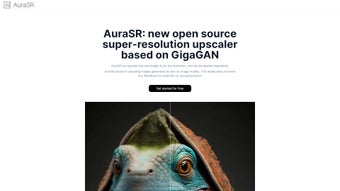
AuraSR is a web‑based AI image upscaling service that transforms low‑resolution pictures into high‑definition assets with just a few clicks. Powered by a GigaGAN‑derived neural network, the platform can increase an image’s size fourfold while preserving fine details such as texture, color fidelity, and edge sharpness. The technology works by analysing the existing pixels, predicting missing information, and reconstructing a larger canvas that looks natural rather than artificially stretched.
This makes AuraSR especially valuable for graphic designers who need to polish AI‑generated artwork, photographers aiming to revive old scans, and social‑media managers looking for eye‑catching visuals without the time‑consuming workflow of traditional desktop editors. The tool operates entirely in the browser, meaning there is no need to download bulky software or maintain local GPU resources. Users simply visit the site, drag‑and‑drop their files, and let the cloud‑based AI do the heavy lifting.
AuraSR supports the most common image formats—PNG, JPG, JPEG, and WEBP—so you can work with files straight from cameras, design tools, or web sources. A standout feature is the ability to apply multiple upscaling passes, allowing you to chain the 4× factor as many times as required to reach a specific resolution. Security and privacy are baked into the platform.
All uploads travel over HTTPS, are encrypted in transit, and are automatically deleted from the server after the upscaled result is delivered. No personal data is retained beyond what is necessary for optional account creation, and the service complies with GDPR for European users. In short, AuraSR offers a free, fast, and secure way to boost image resolution without the steep learning curve or hardware demands of traditional photo‑editing suites.
Key Features That Set AuraSR Apart
- AI‑Powered 4× Upscaling: Utilises a GigaGAN‑derived model to increase image size fourfold while retaining intricate details.
- Unlimited Multi‑Pass Upscaling: Stack the 4× algorithm repeatedly for custom resolutions beyond the default factor.
- Broad Format Support: Accepts PNG, JPG, JPEG, and WEBP files, ensuring seamless integration with most workflows.
- Web‑Only Interface: No downloads or installations required; works on any modern browser across Windows, macOS, Linux, Android, and iOS.
- End‑to‑End Encryption: All uploads are encrypted via HTTPS, and files are purged from the server immediately after processing.
- One‑Click Social Sharing: Directly share the upscaled result to Facebook, Twitter, Instagram, or generate a public link.
- Responsive Design: Optimised for both desktop monitors and mobile screens, allowing on‑the‑go upscaling.
- Feedback Loop: Integrated feedback form lets users suggest improvements, ensuring continuous development.
- Free Core Service with Optional Premium Plans: Core upscaling is free; premium users gain priority processing, larger file limits, and batch upload capabilities.
Installation, Usage & Compatibility
Getting Started – No Installation Required
Because AuraSR runs completely in the cloud, there is no traditional installation process. Simply open a supported browser—Chrome, Edge, Firefox, or Safari—and navigate to aurasr.com. The homepage greets you with a clean upload area and an optional “Sign Up” button for those who want to save history or access premium features. Registration is optional and only requires an email address; no credit card is needed for the free tier.
Step‑by‑Step Workflow
- Upload Your Image: Drag‑and‑drop or click “Upload” to select a PNG, JPG, JPEG, or WEBP file. A thumbnail preview and file size appear instantly.
- Choose Upscaling Options: The default setting applies a single 4× pass. To increase resolution further, click “Add Another Pass” and repeat as many times as desired. Optional toggles let you preserve original colors or enhance texture for sharper results.
- Start Processing: Press “Upscale Now”. The AI analyses the image, reconstructs missing pixels, and renders the larger version. Typical processing times range from 5 to 30 seconds depending on file size and server load.
- Review & Download: Once complete, the upscaled image appears side‑by‑side with the original. Click “Download” to save the file to your device; on mobile, it saves directly to your photo gallery.
- Share Instantly: Use the built‑in social icons to post to Facebook, Twitter, or Instagram, or copy a shareable link for embedding elsewhere.
- Provide Feedback: If you encounter issues or have suggestions, click the “Feedback” tab in the footer. Your input helps improve the service.
AuraSR is a browser‑based application, which means it works on any operating system that can run a modern web browser. Whether you’re on Windows 10/11, macOS Ventura, a Linux distribution, Android 9+ or iOS 13+, you can access the tool without installing additional software. For the best experience we recommend the latest versions of Chrome, Edge, Firefox, or Safari. Because all processing occurs on AuraSR’s servers, local hardware requirements are minimal—only a stable internet connection (minimum 5 Mbps) is needed.
Security‑wise, the platform enforces HTTPS encryption for all data transfers and complies with GDPR, ensuring European users’ data is handled with strict privacy controls. Uploaded files are automatically deleted after the upscaling task completes, and no personal data is stored beyond what is necessary for optional account management.
Pros, Cons & Frequently Asked Questions
What Users Love About AuraSR
- Completely free core upscaling with no hidden fees.
- AI model delivers sharp, realistic detail even after multiple upscaling passes.
- No installation required – works on any device with a browser.
- Strong privacy safeguards: encryption and automatic file deletion.
- Integrated social sharing saves time for marketers and creators.
- Responsive UI makes it easy to use on both desktop and mobile.
Areas for Improvement
- Processing speed can vary during high‑traffic periods.
- Batch uploading is limited to premium subscribers.
- No offline mode – an internet connection is required at all times.
- Advanced texture controls are basic compared with professional desktop editors.
- Free users face a 10 MB per‑image size limit.
Frequently Asked Questions
Is AuraSR really free to use?
Yes, the core 4× upscaling feature is completely free. Premium plans are optional and provide faster processing, larger file limits, and batch upload capabilities.
Can I use AuraSR on my mobile phone?
Absolutely. AuraSR’s responsive design works on Android and iOS browsers, allowing you to upscale images directly from your smartphone or tablet.
How does AuraSR protect my uploaded images?
All uploads are transmitted over HTTPS, encrypted in transit, and stored only for the short time needed to process the image. After the upscaled version is delivered, the original file is automatically deleted from the server.
What is the maximum resolution I can achieve?
There is no hard limit on the number of upscaling passes. You can continue applying the 4× factor until you reach the resolution you need, constrained only by the maximum file size allowed per pass (10 MB for free users, larger for premium).
Do I need a powerful computer to run AuraSR?
No. Since the AI processing occurs on AuraSR’s cloud servers, even modest devices can use the service as long as they have a stable internet connection.
Conclusion & Call to Action
AuraSR delivers a compelling blend of AI‑driven upscaling, privacy‑first design, and universal accessibility. Whether you’re a designer polishing AI‑generated art, a photographer restoring old shots, or a marketer needing crisp visuals for campaigns, AuraSR offers a free, fast, and secure way to boost image resolution without the steep learning curve of traditional editing suites. Its ability to apply unlimited upscaling passes sets it apart from many competitors that lock users into a single factor.
Ready to transform low‑resolution files into high‑definition assets? Visit aurasr.com, upload your first image, and experience the power of GigaGAN‑based upscaling today. Power users can consider the premium tier to unlock priority processing and batch capabilities. Enhance your visual workflow—download AuraSR now and see the difference AI can make.



.png)



